 WakeLoop
Set it once — forget the routine
Describe your work/rest cycle and the start date. WakeLoop calculates every wake-up day for you and stops ringing when the rotation ends.
Set your rotation once — WakeLoop works out when to wake you up and when to let you sleep. No more editing alarms every Sunday.
Free · No account required · Contains ads
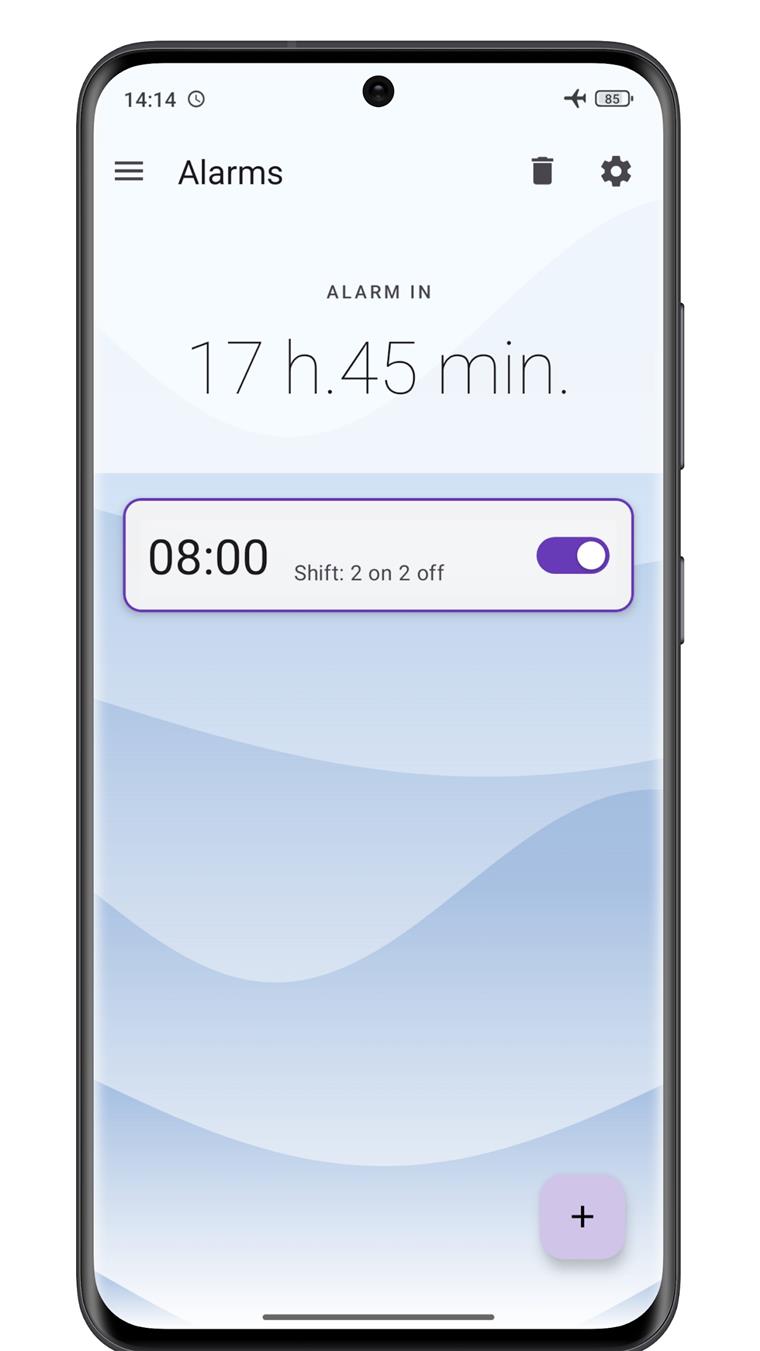
Tired of resetting your alarms every single week? Set the rotation once — and forget about it.
Shifts 2/2, 3/3, 4/2 or 24/48 mean every Sunday you have to remember: is it a work week? Did I turn on Monday's alarm? WakeLoop removes this routine completely — and shows your next wake-up right on the home screen.
A smart alarm clock for people who live on a rotating schedule — plus the little things that make mornings easier.
Describe your work/rest cycle and the start date. WakeLoop calculates every wake-up day for you and stops ringing when the rotation ends.
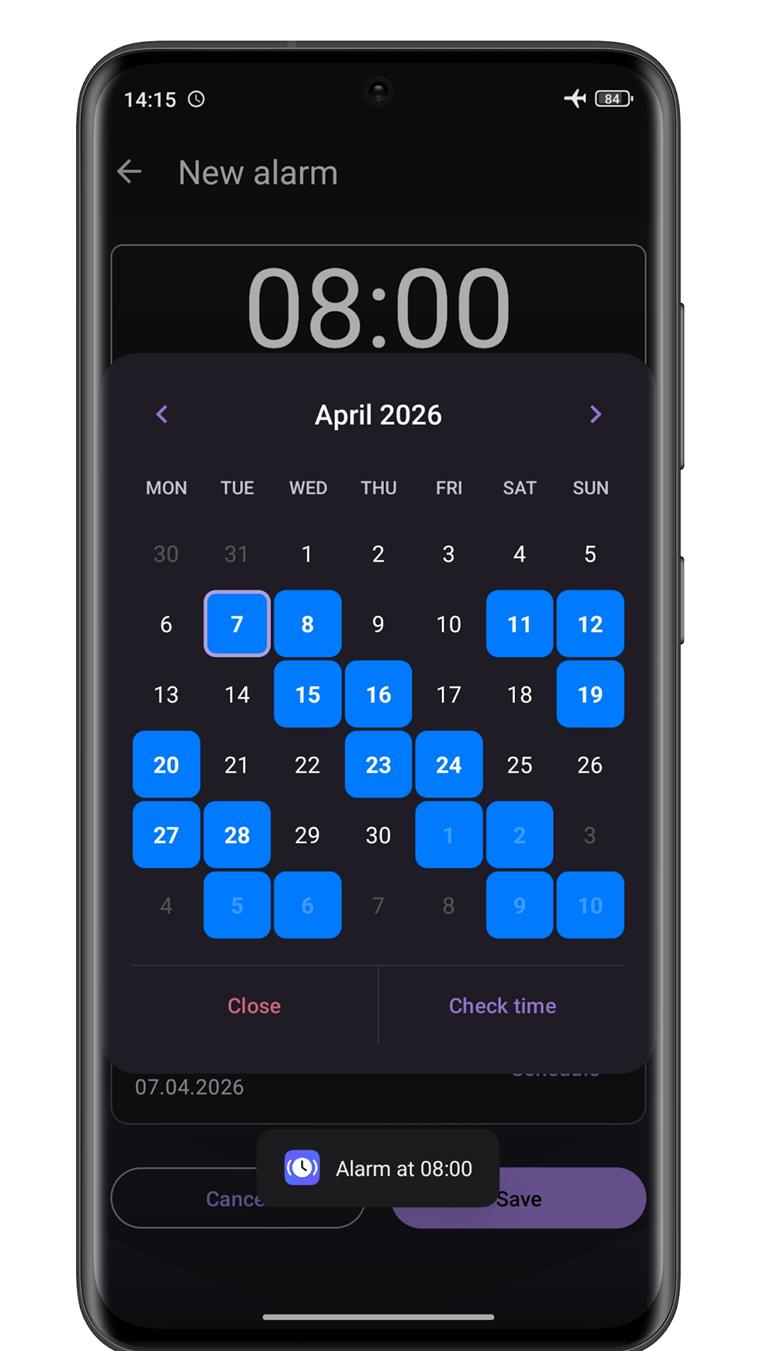
All your alarms in a single visual window: pick any day and see exactly when it will ring. Added in the latest update.
See your next wake-up at a glance, set a Quick Nap ("Siesta") in one tap, and customise the clock: size, colours, opacity, bold font.
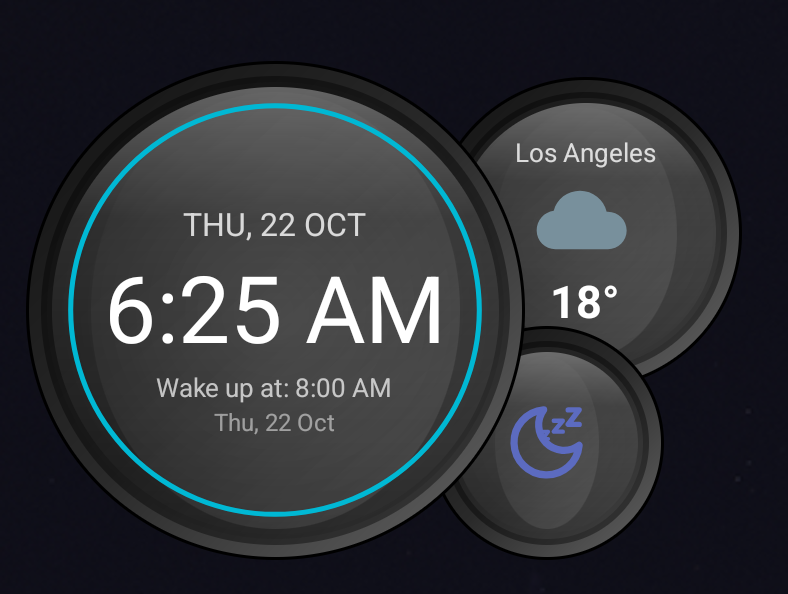
The Moto Clock widget shows the weather for your city — detected automatically by IP or searched manually. Free, no API keys.
Auto-snooze, auto-decrease snooze, auto-dismiss, volume crescendo, gentle wake-up and even a pattern to dismiss — you choose how hard the alarm should push.
Exact alarms via AlarmManager, automatic re-scheduling after reboot, app update, time or timezone change, plus background re-checks and a battery monitor.
A full-featured timer and a lap stopwatch with background notifications live right inside the app — no need for a second one.
Light and dark themes, procedural backgrounds and a friendly UI. Interface available in English, Russian, German, Spanish, French, Polish and Portuguese.
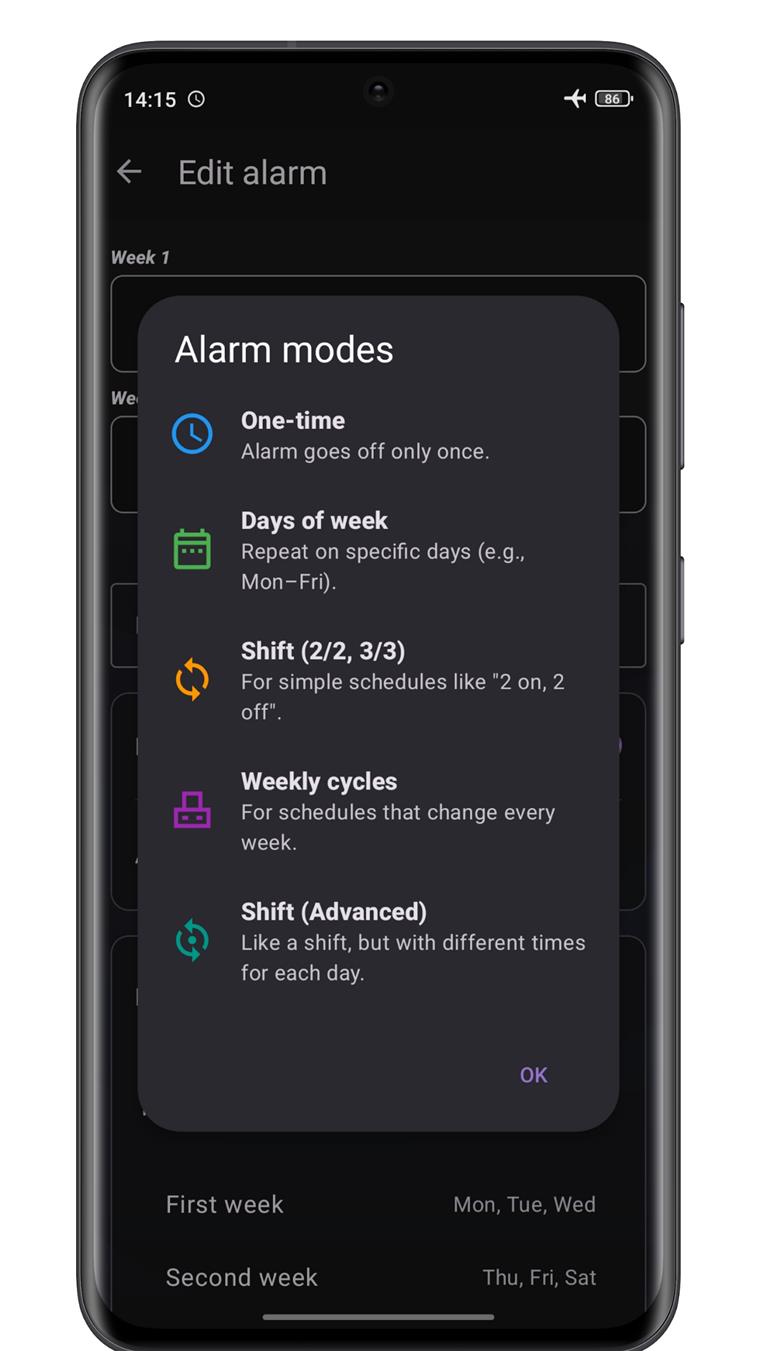
From a single ring to a full rotating cycle with several times per day — pick the mode that matches your rota.
The alarm goes off only once.
Repeat on selected days (e.g. weekdays only).
For simple schedules: set days on / days off and the cycle start date.
For schedules that change every week: 2, 3 or 4 weeks with a different set of days.
Like a shift, but a different wake-up time for every working day of the cycle.
For complex rotation cycles: 2 days — 2 off — 2 nights — 2 off.
Pick exact trigger dates for each shift with a visual calendar.
Calendar mode, multi-time days of week and multi-time shift — up to 12 trigger times.
The in-app calendar highlights every upcoming wake-up day in colour before the alarm is saved.
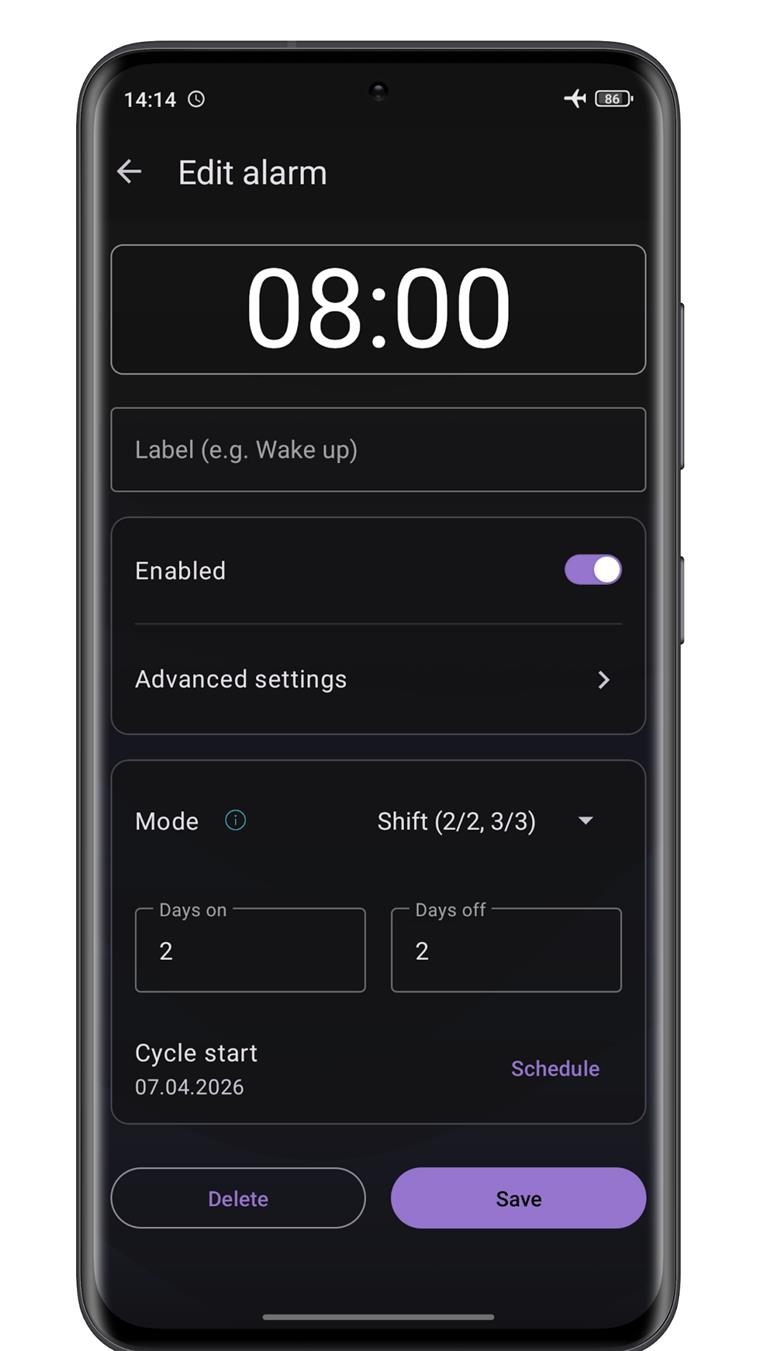
Pick a mode, enter days on / days off, choose the cycle start date — and the calendar instantly shows every day the alarm will ring.
A glanceable widget with the next alarm, the weather and a one-tap Quick Nap. Choose the size, colours, transparency and font weight — it stays readable on any home screen.
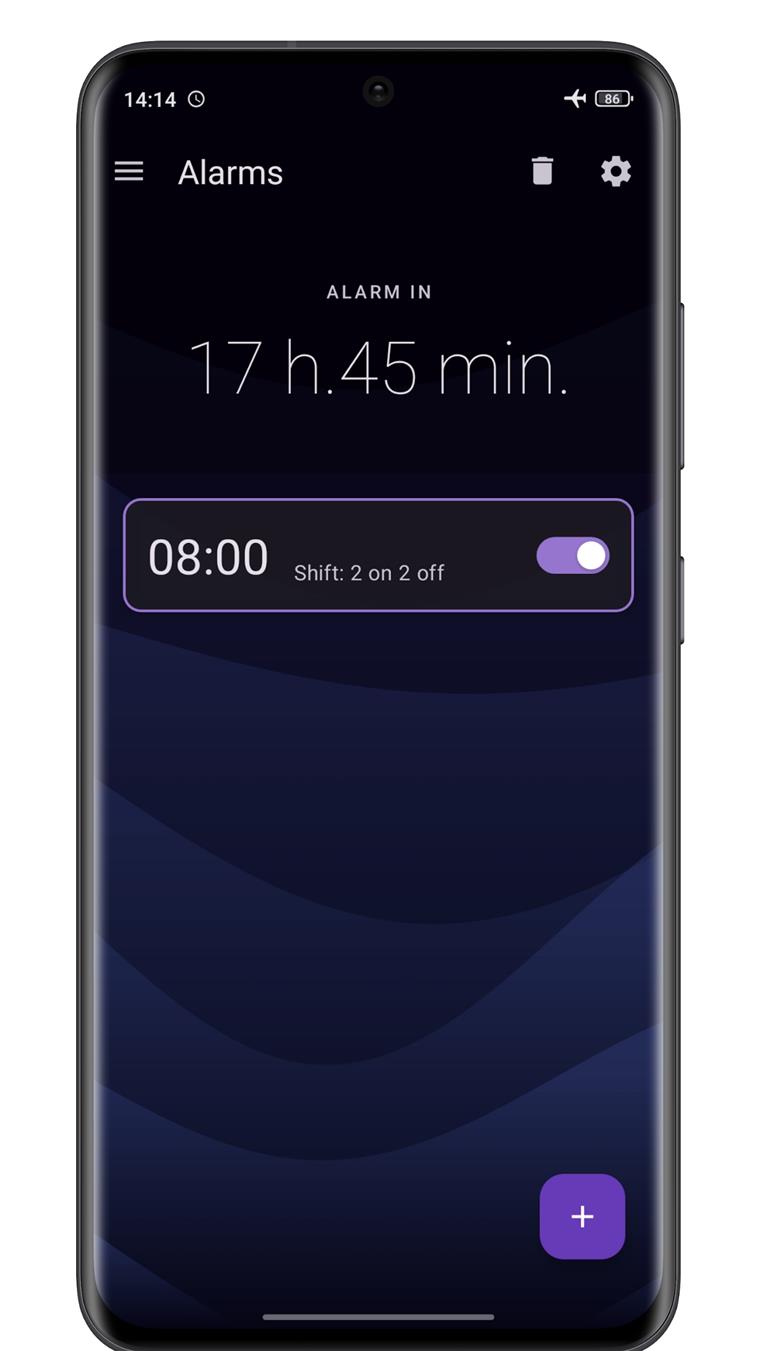
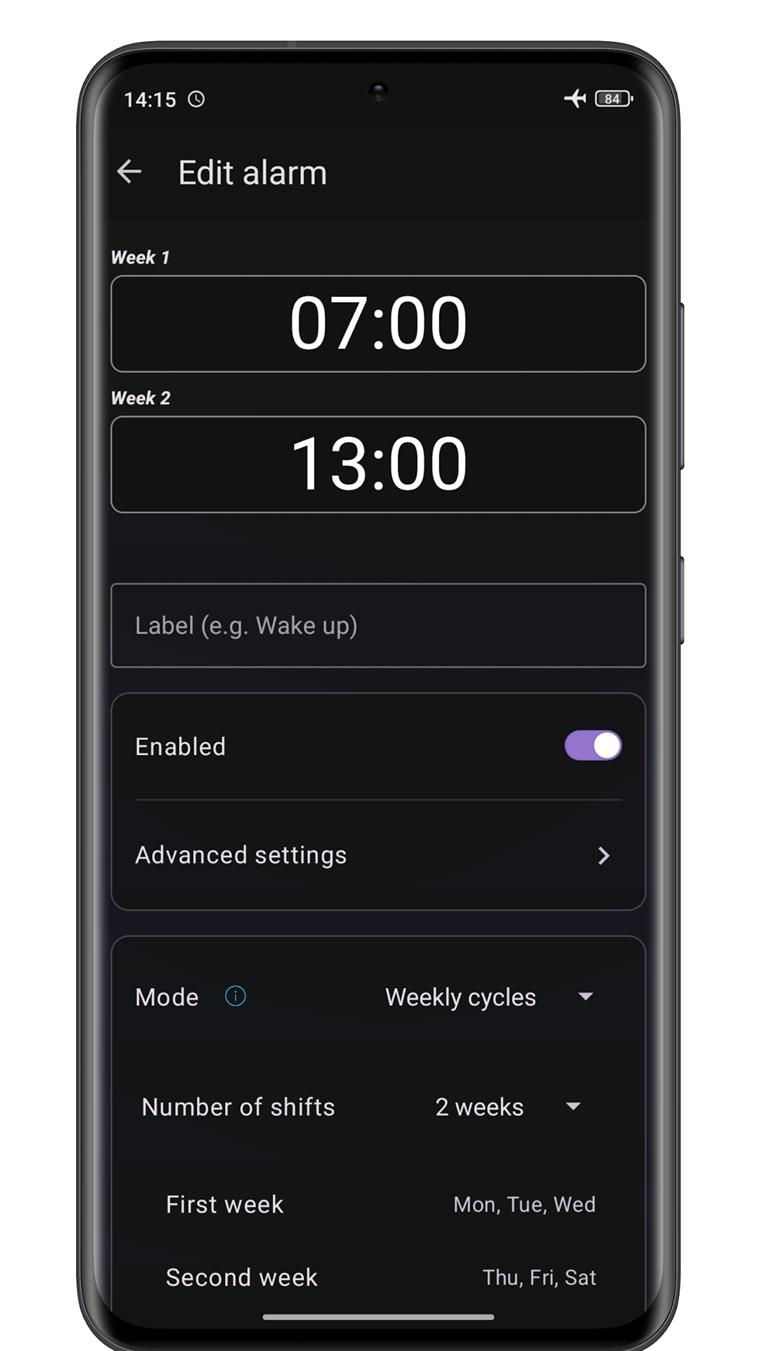
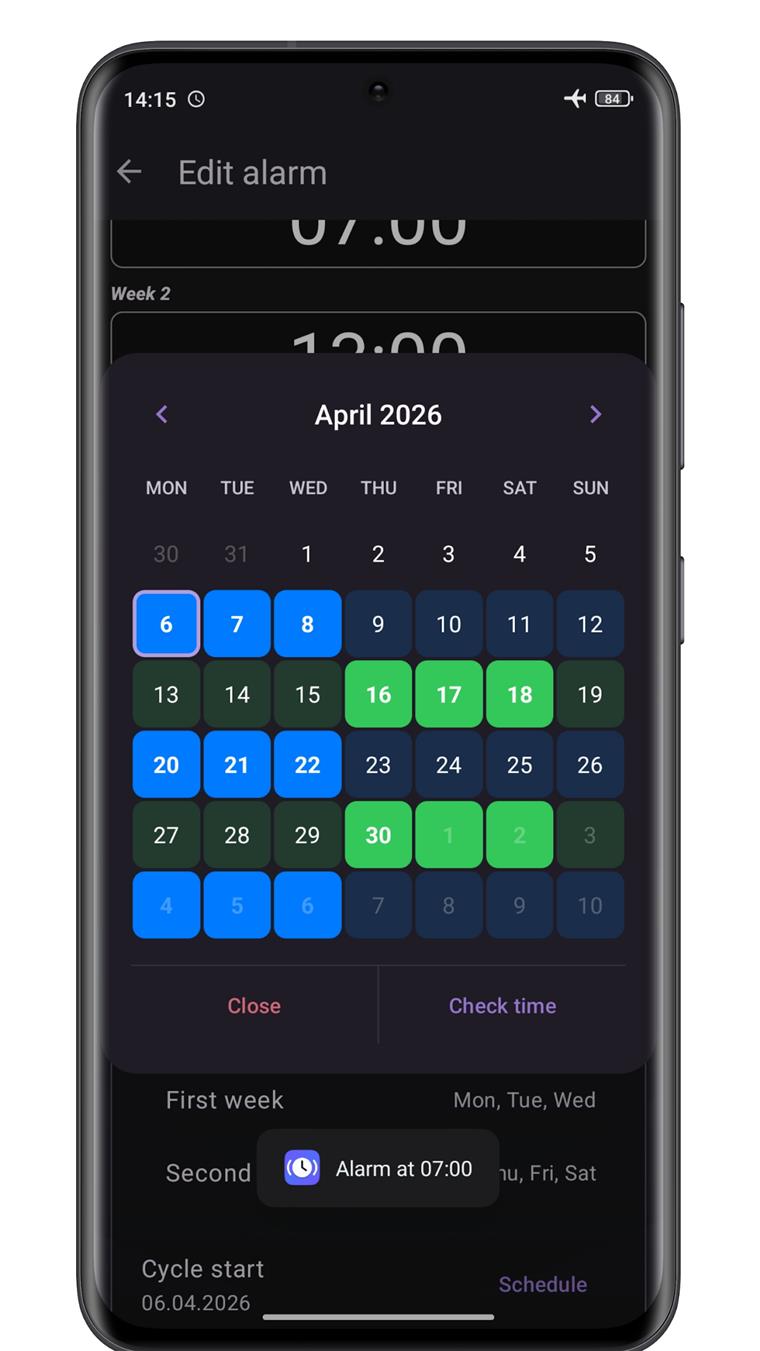
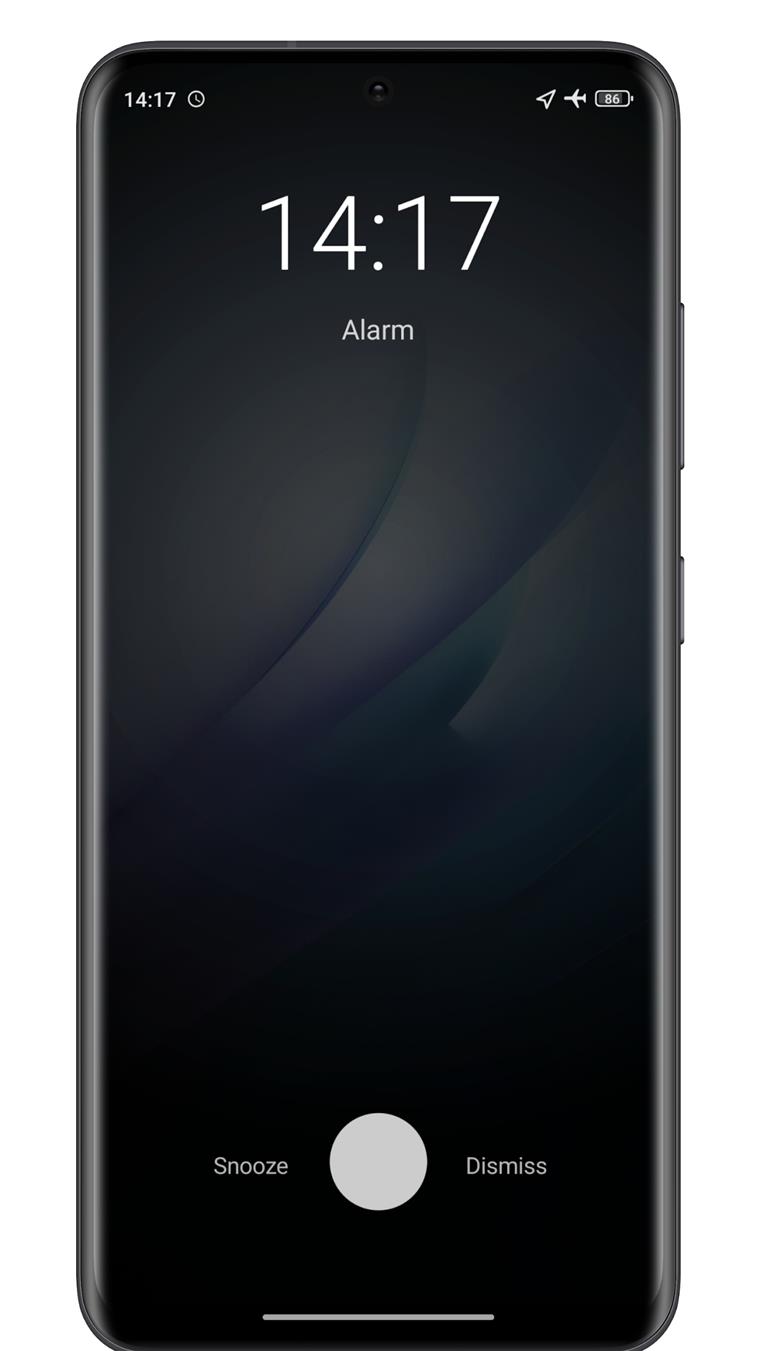
Choose a mode, days on / days off or a week pattern, and the date the cycle starts.
WakeLoop highlights every upcoming wake-up day — make sure the schedule matches your rota and save.
The app keeps the alarm in sync on its own — after reboots, updates and time changes.
Yes. WakeLoop re-schedules every alarm after a reboot, an app update, a time or timezone change, and background workers re-check upcoming alarms periodically.
No. Alarms, schedules and history are stored on your device. The internet is only used for the optional weather on the widget and for update checks.
Neither. Install it, set the rotation and go. The app is free and contains ads.
One-time, days of week, shift 2/2 and 3/3, weekly cycles (2–4 weeks), individual shift times, rotating 2/2/2/2 and calendar-based schedules — plus several trigger times per day.
On Google Play worldwide and on RuStore for Russia. Both links are in the section below.
Write to doracula20091@yandex.com — Also check the battery optimisation settings for WakeLoop so Android doesn't delay the alarm.
WakeLoop: Shift Work Alarm — free, no account, for Android 8.1 and newer.